
Trip.com
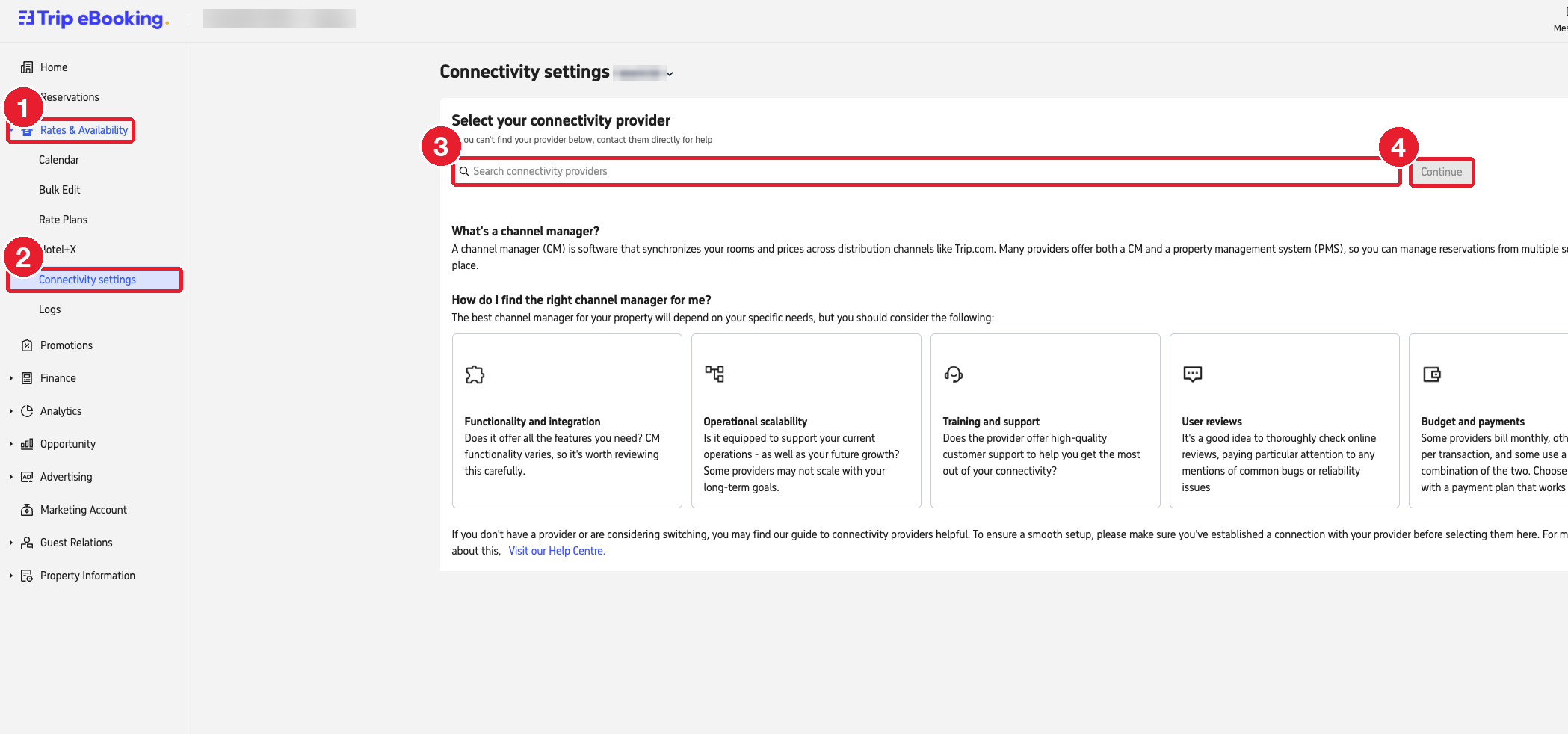
Select Channex under Rates & Availability → Connectivity settings in Trip eBooking.
Where: ebooking.trip.com (Trip eBooking)
You need: the property's eBooking login. The hotel ID is the number shown next to Connectivity settings.
#Steps
- 1
In the left menu, open "Rates & Availability".
- 2
Click "Connectivity settings".
- 3
In the search box, type "Channex" and select it.
- 4
Click "Continue" and follow the prompts to confirm.
- 5
Go to ClearHost, add the Trip.com channel with the hotel ID, click Test connection, then map the rooms and rate plans.