
Booking.com
Choose Channex as the connectivity provider in the Booking.com extranet.
Where: admin.booking.com (Booking.com extranet)
You need: the property's Booking.com login, and the property ID (the number next to the property name at the top of the page).
#Steps
- 1
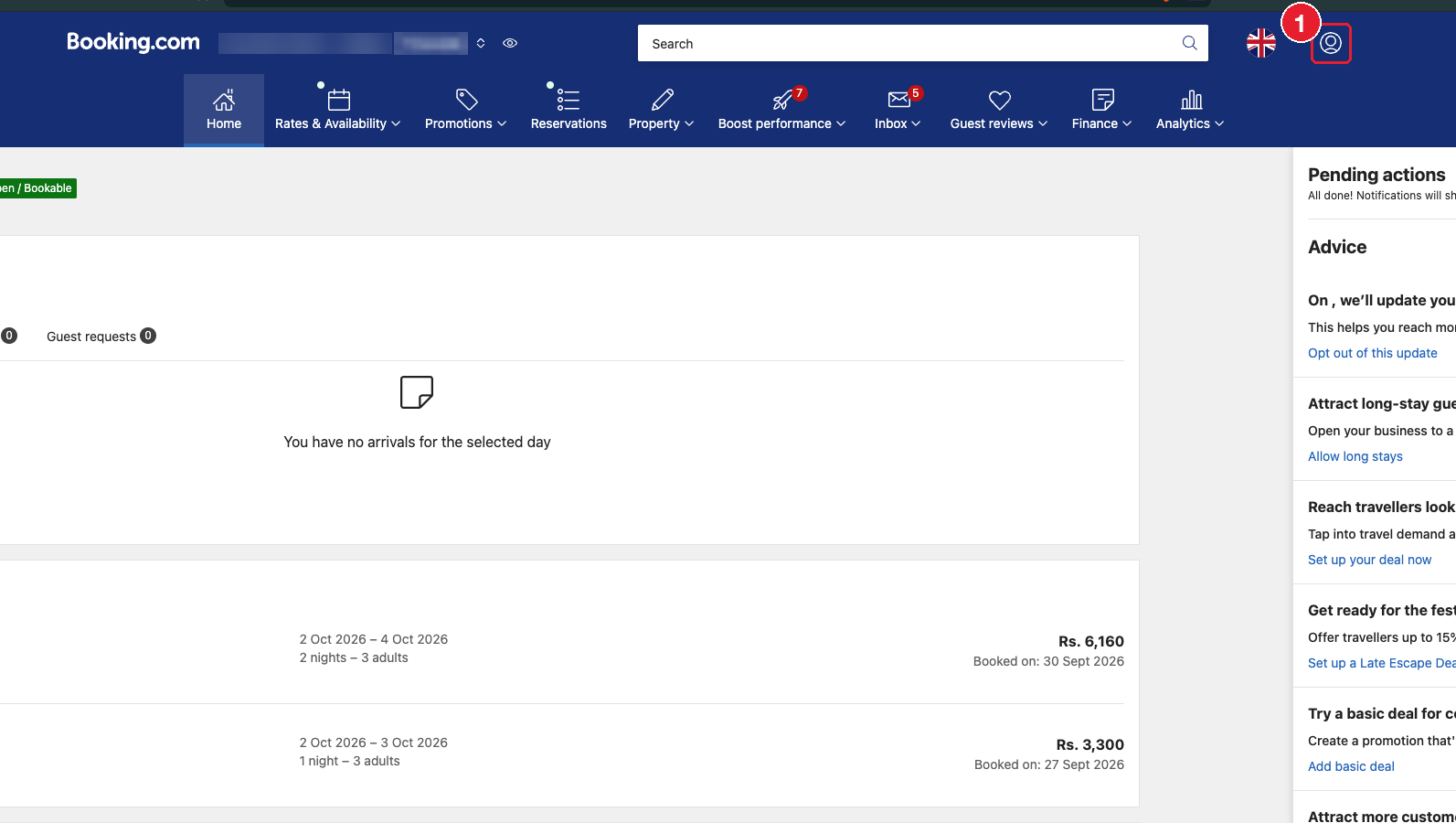
Log in and click the profile icon (top right).
- 2
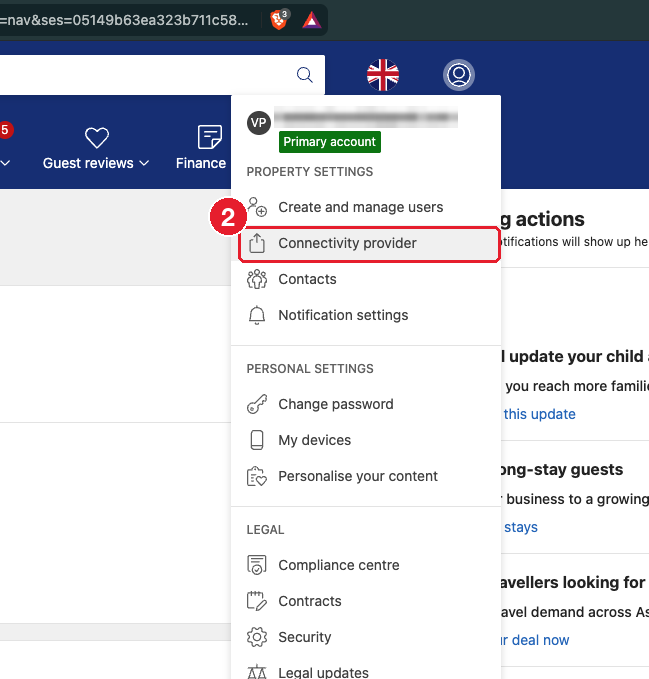
In the menu, click "Connectivity provider" under Property settings.
- 3
Search for and select "Channex" (channex.io). Accept the terms and give all permissions (rates and availability, reservations, content). If any permission is left out, some data won't sync.
- 4
Go to ClearHost, add the Booking.com channel with the property ID, click Test connection, then map the rooms and rate plans.
#Common problems
- Channex isn't listed / the connection request is pending: Booking.com can take a while to activate a new provider. Wait, then refresh the Connectivity provider page.
- Test connection fails in ClearHost: make sure Channex shows as active on Booking.com and that every permission was given.