
MMT / Goibibo
One extranet (Connect) covers both MakeMyTrip and Goibibo. Copy the hotel code and access token.
MakeMyTrip and Goibibo use the same extranet (Connect), so one connection covers both.
Where: in.goibibo.com/newextranet
You need: the property's extranet login. You will copy the hotel code and access token from here.
#Steps
- 1
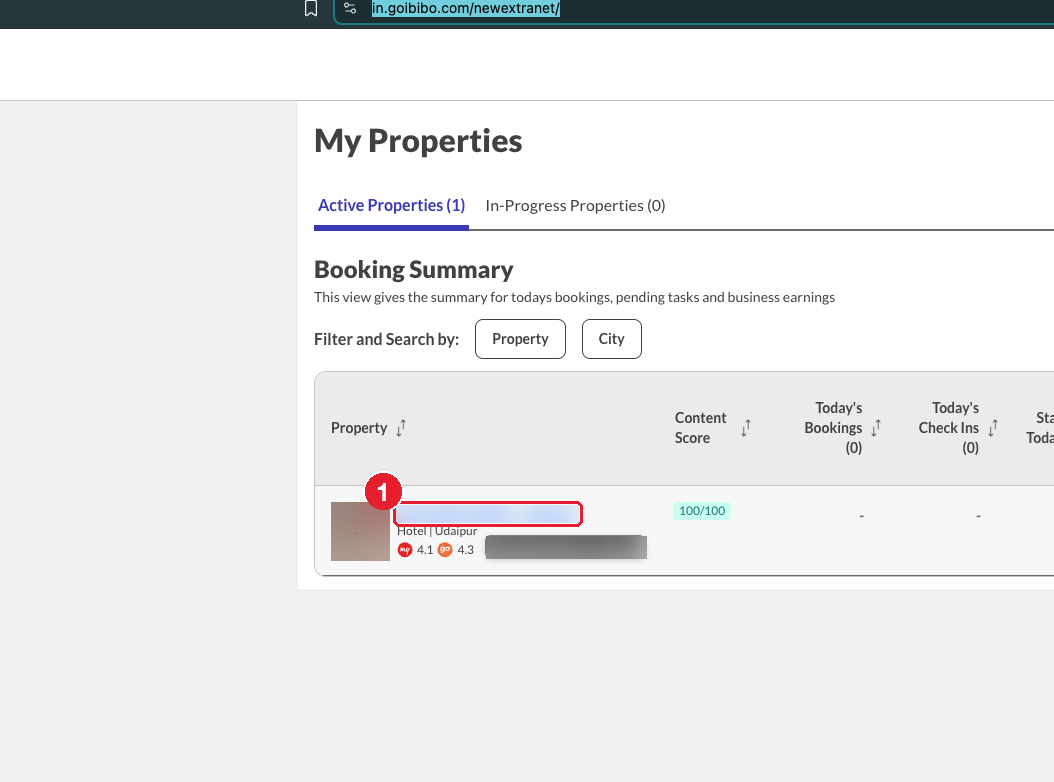
Log in and click the property name under My Properties.
- 2
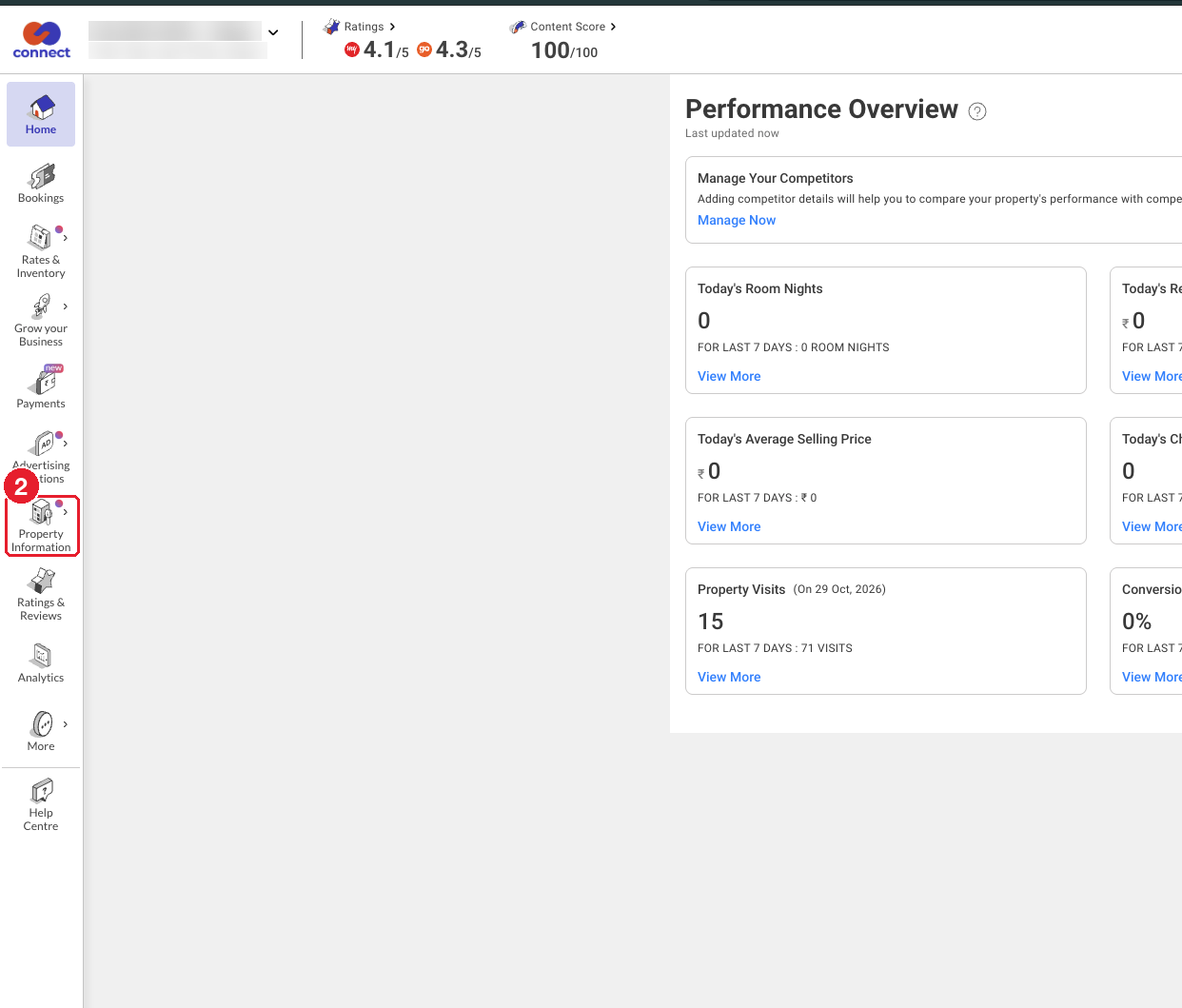
In the left menu, click "Property Information".
- 3
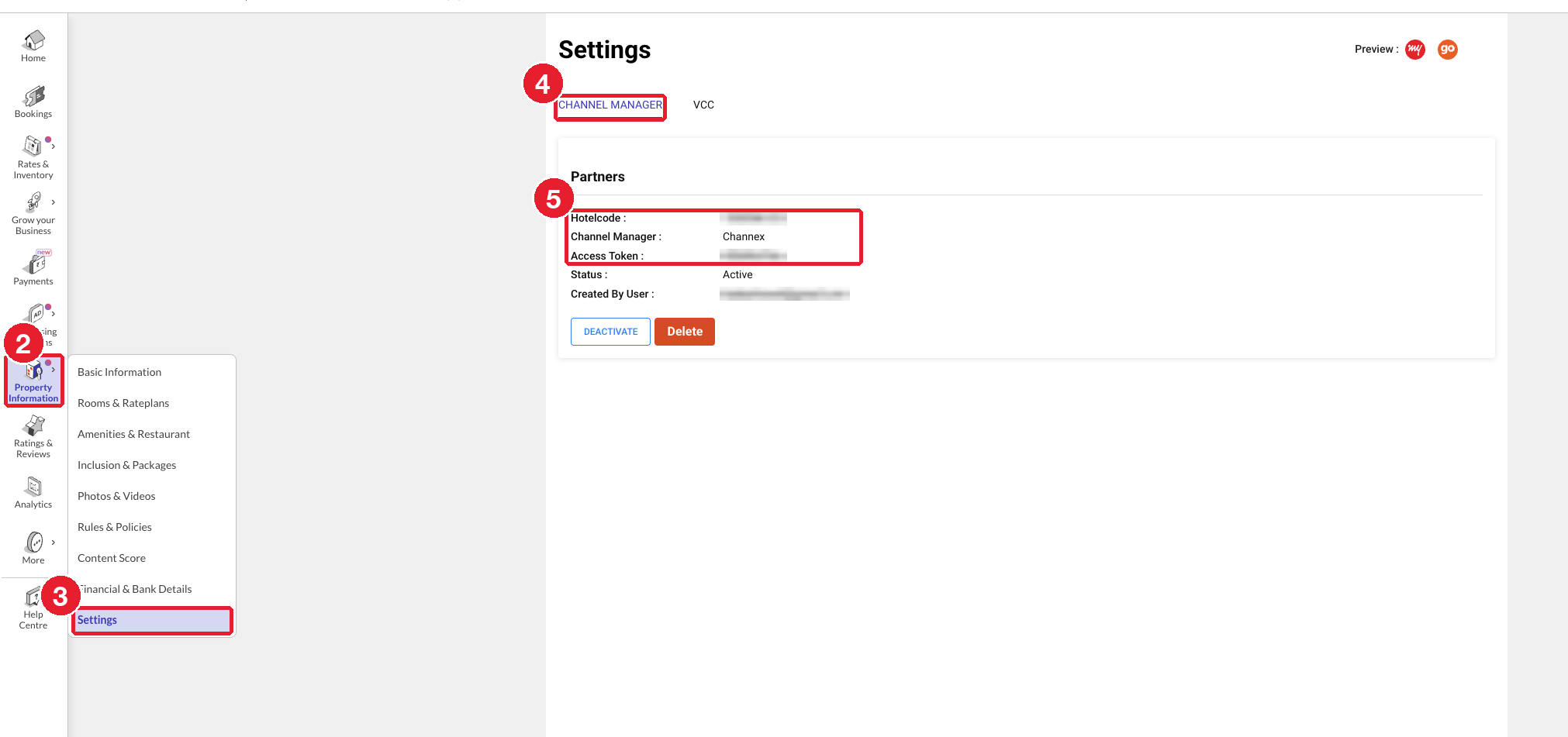
Click "Settings" (last item in the menu that opens).
- 4
Open the "Channel Manager" tab and choose Channex as the channel manager.
- 5
Copy the Hotelcode and Access Token.
- 6
Go to ClearHost, add the MMT/Goibibo channel, paste the hotel code and access token, click Test connection, then map the rooms and rate plans.
#Common problems
- Status is not "Active": click Activate. Don't click Delete: that removes the connection and creates a new token, so you would have to update ClearHost again.
- Test connection fails: check that you copied the token exactly, with no extra spaces.