
Airbnb
Connect with an Airbnb login (no codes to copy).
Airbnb connects through a login (OAuth): nothing to copy and paste. The person clicking the link must already be logged in to the property's Airbnb account in the same browser.
#Steps
- 1
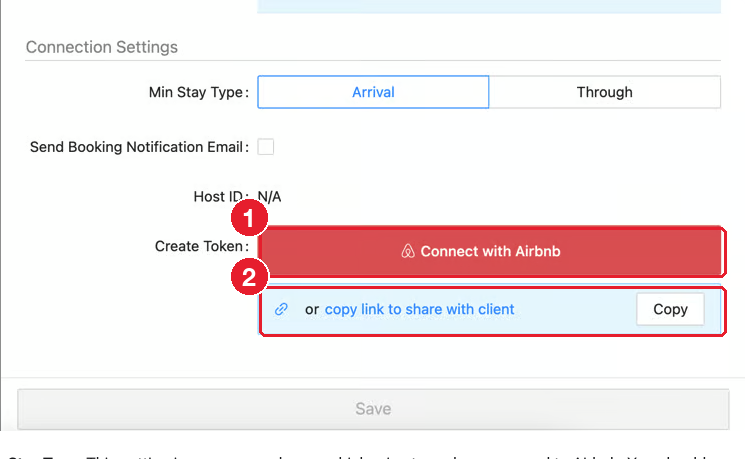
In ClearHost, open the Airbnb channel → Connection Settings and click "Connect with Airbnb". Then approve the access request on Airbnb.
- 2
Or, if the client has the Airbnb login: click Copy next to "copy link to share with client" and send them the link. They open it in the browser where they are logged in to Airbnb and approve.
- 3
Click Save, then map the Airbnb listings to ClearHost rooms.