
Expedia
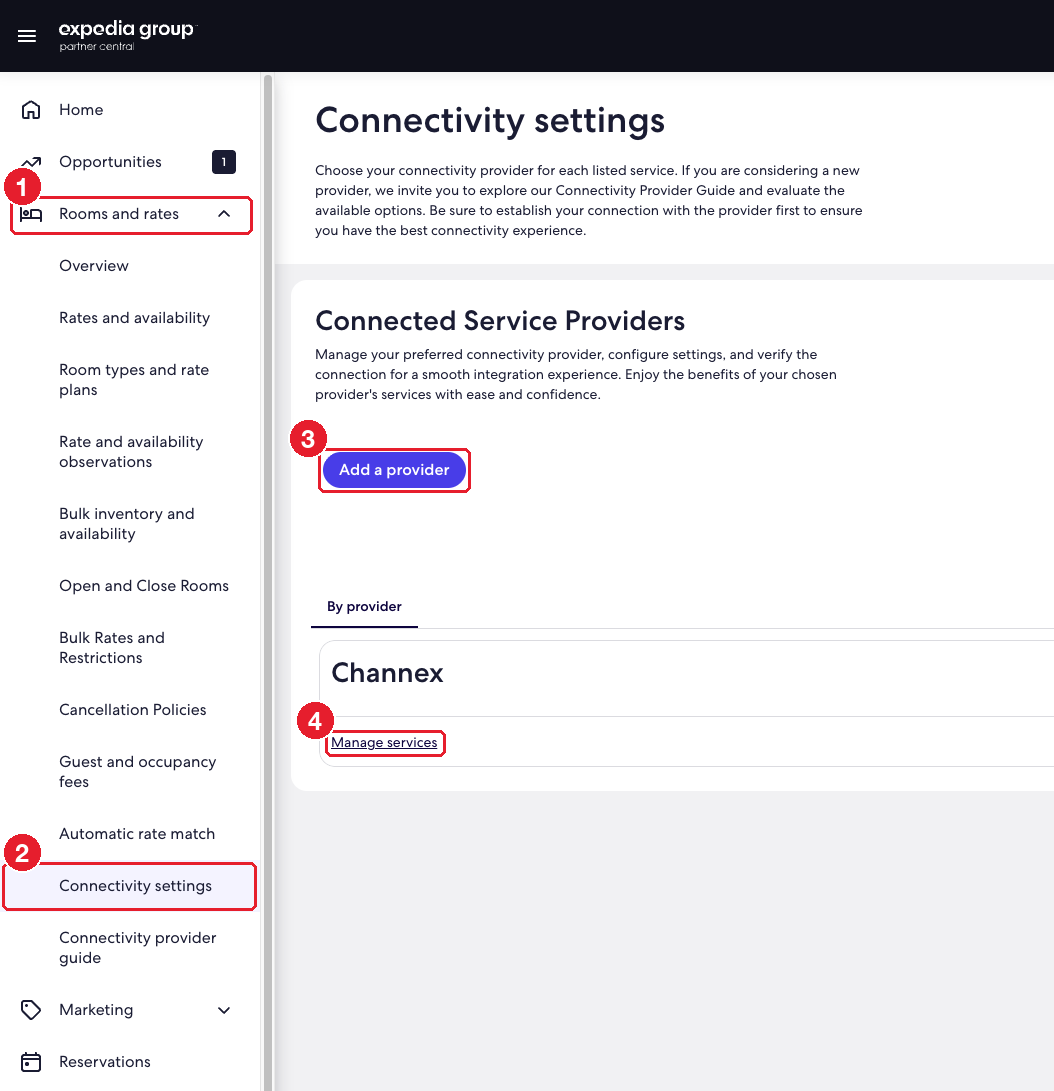
Add Channex as the provider under Rooms and rates → Connectivity settings.
Where: apps.expediapartnercentral.com (Expedia Partner Central)
You need: the property's Partner Central login and its Expedia property ID.
#Steps
- 1
In the left menu, open "Rooms and rates".
- 2
Click "Connectivity settings".
- 3
Click "Add a provider" and choose Channex. Select every service (rates and availability, reservations) and confirm.
- 4
Channex now appears under Connected Service Providers. Use Manage services to check that every service is set to Channex.
- 5
Go to ClearHost, add the Expedia channel with the property ID, click Test connection, then map the rooms and rate plans.