
Why is my room so much cheaper on Agoda?
Agoda shows a lower price than the rate set in ClearHost: check the connection, mapping and commission setting, the hotel's own Agoda promotions, and explain Agoda-funded discounts (Agoda gives up part of its commission).
#What the client asked
"Why is my price showing so low on Agoda? I didn't set this. Why is Agoda giving this much discount?"
#What it is
There are four usual reasons. Check them in this order, because only the first three are something we can fix:
- Agoda isn't getting the ClearHost rate. The channel isn't connected or a room or rate plan isn't mapped, so Agoda shows an old price loaded by hand in its Partner Portal.
- The booking amount in ClearHost looks low, not the price on Agoda. The Agoda channel's Tax Setting For Bookings decides which amount Agoda bookings come in with. On Inclusive, a booking arrives at the hotel's payout, after Agoda's commission: a ₹1,000 room shows as about ₹800, which looks like a discount.
- The hotel's own Agoda promotion. A promotion or program the hotel joined in the Agoda Partner Portal lowers the price. The hotel pays for this discount: Agoda takes its commission on the lower price, so the hotel gets less (Agoda's own example).
- Agoda pays the discount itself. Agoda can show a lower price than other OTAs by giving up part of its own commission. If the room is ₹1,000 and Agoda's commission is ₹200, Agoda may sell it for ₹800. The hotel still gets the same ₹800 it gets from a full-price booking.
#How we solved it
- 1
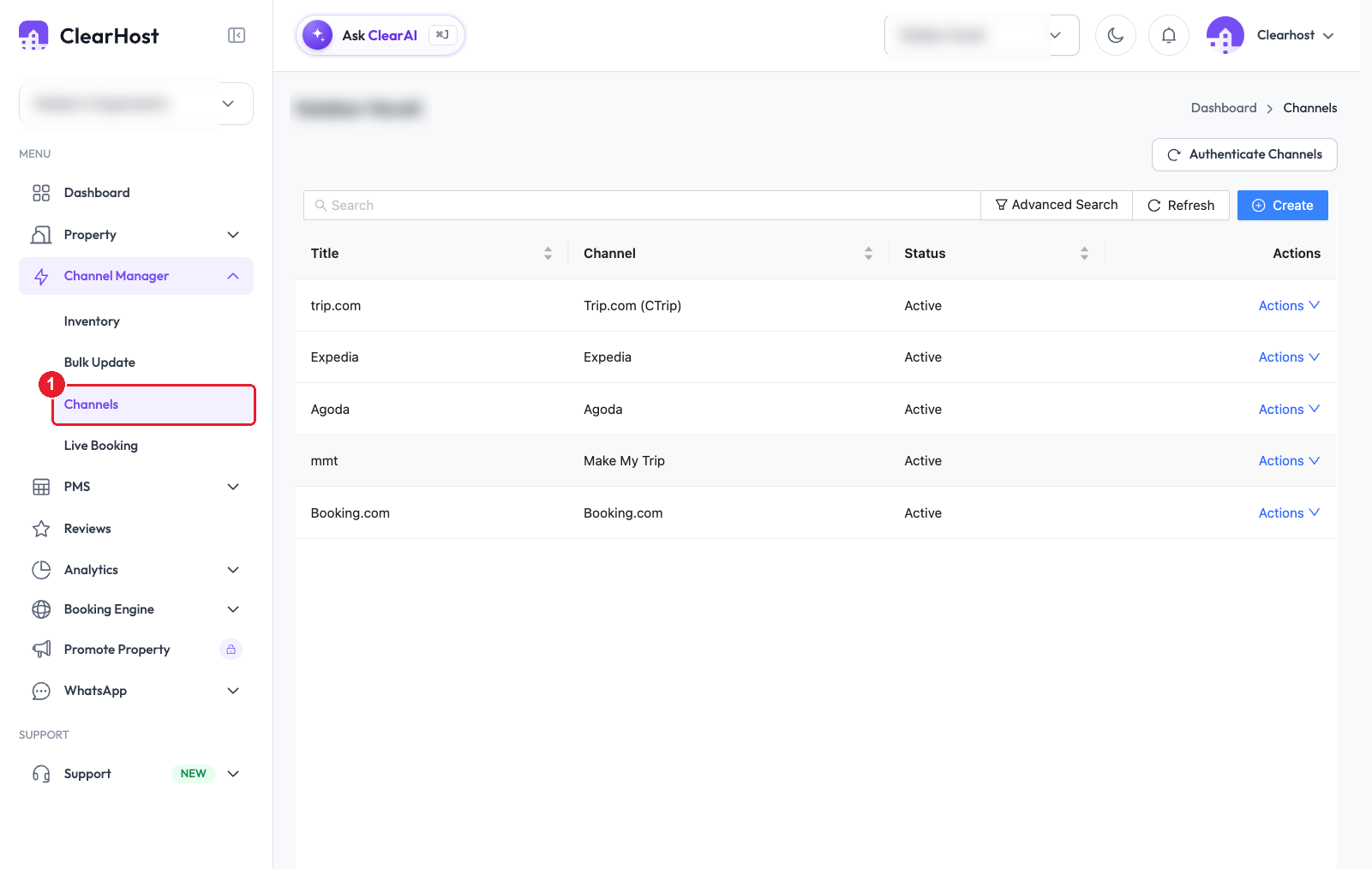
Open Channel Manager → Channels and check that Agoda is "Active". If it isn't there or isn't active, Agoda is showing prices loaded by hand in its Partner Portal. Connect it with the Agoda guide.
- 2
On the Agoda row, click "Actions" → "Edit", open the "Mapping" tab, and check that every room type and rate plan is mapped. An unmapped Agoda rate plan keeps its old price. To be sure the price is getting through, compare one date in the Agoda Partner Portal's Rates and availability calendar with the same date in ClearHost.
- 3
Open the "General Settings" tab and check that "Tax Setting For Bookings" is "Exclusive". If it's on another option, choose Exclusive and save.
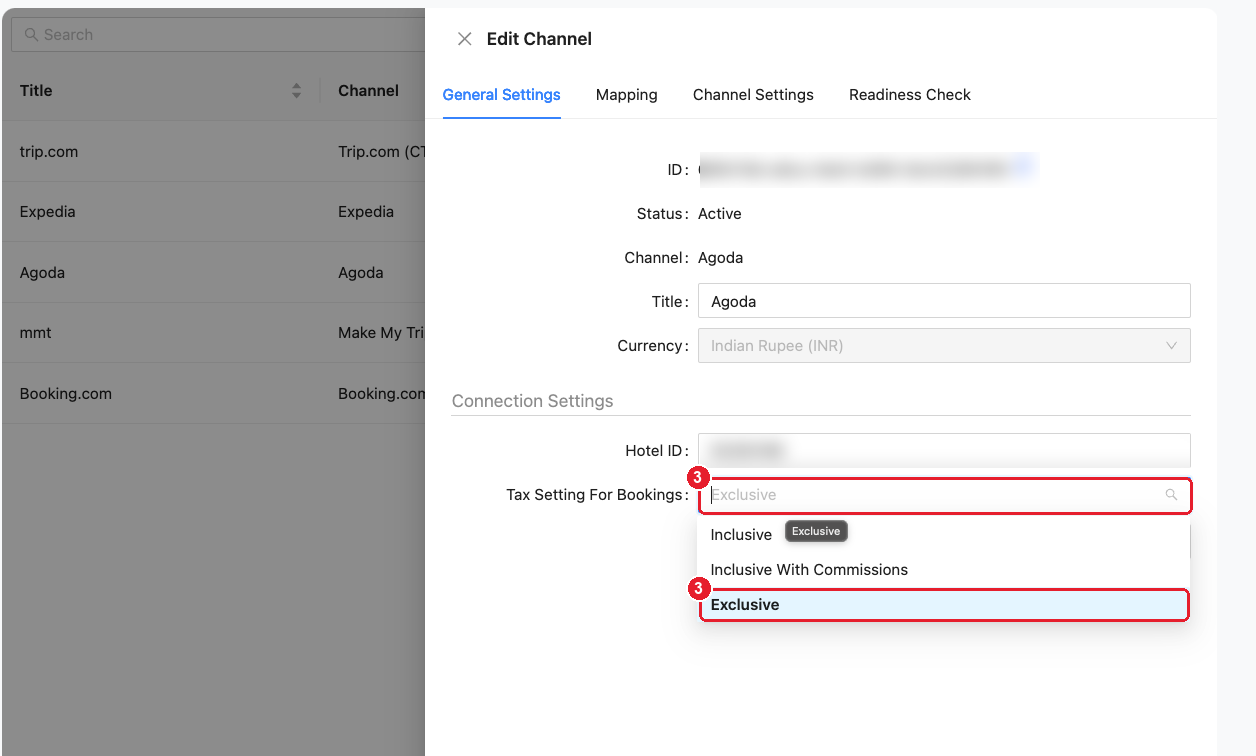
What each option means (Channex's Agoda guide):
Option Agoda bookings come in with Inclusive taxes included, Agoda's commission already taken off (the hotel's payout) Inclusive With Commissions taxes and commission included (the total amount) Exclusive no tax and no commission added - 4
In the Agoda Partner Portal, check "Promotions" for active promotions, and whether the hotel has joined discount programs or an Agoda Special Offers rate plan. These are the hotel's own discounts. Switch them off if the client didn't mean to run them.
- 5
If none of these explain it, tell the client Agoda is paying the discount. Show them the diagram above: the guest pays less, but the hotel's payout is the same as for a full-price booking. Nothing needs to change in ClearHost.
#How to check it worked
- Steps 1, 2 and 4: open the property on Agoda as a guest for a few dates. The price matches the ClearHost rate (plus any OTA markup).
- Step 3: the next Agoda booking in ClearHost shows the room amount, not the payout.
- Step 5: open a recent Agoda booking in the Partner Portal and look at what the hotel receives. With a ₹1,000 rate and 20% commission it should be ₹800, even if the guest paid ₹800.
#Good to know
- Tax shown separately: Agoda can load rates as Sell Inclusive (taxes included, Agoda's default) or Sell Exclusive (taxes added at checkout). On Sell Exclusive, search results show the price before GST, so it looks lower than the booking engine's price with tax.
- Guest settings: Agoda can also show prices "per night, before taxes" depending on the guest's display settings and country. Compare the final checkout price, not the search result.
- Don't lower the ClearHost rate to "match" Agoda. That lowers the price on every channel and the booking engine. If the client wants Agoda to be different, use a rate modifier on the Agoda channel.